/prod01/wlvacuk/media/departments/digital-content-and-communications/submitted-news-images/Mr-Speaker-2.jpeg)
/prod01/wlvacuk/media/departments/accommodation-services/images/48229254261_dd58f56c82_k.jpg)
A quick-start guide to making the most of your stay in our halls of residence
Welcome to halls life — where independence meets community. Whether you're cooking with flatmates, having laid-back hangouts, or figuring out the balance between social life and studying, shared living is a big part of your uni experience. This guide covers what you need to live well, respect the people around you, and make your space feel like home.
Explore our Living in Accommodation guides for advice on everything from understanding your licence agreement and staying safe and secure, to navigating university life, supporting your wellbeing, using on-site facilities, reporting maintenance issues, and much more to help you get the most out of living in halls
- Living In Accommodation Guide 2025.26, Living In Accommodation Guide 2026.27
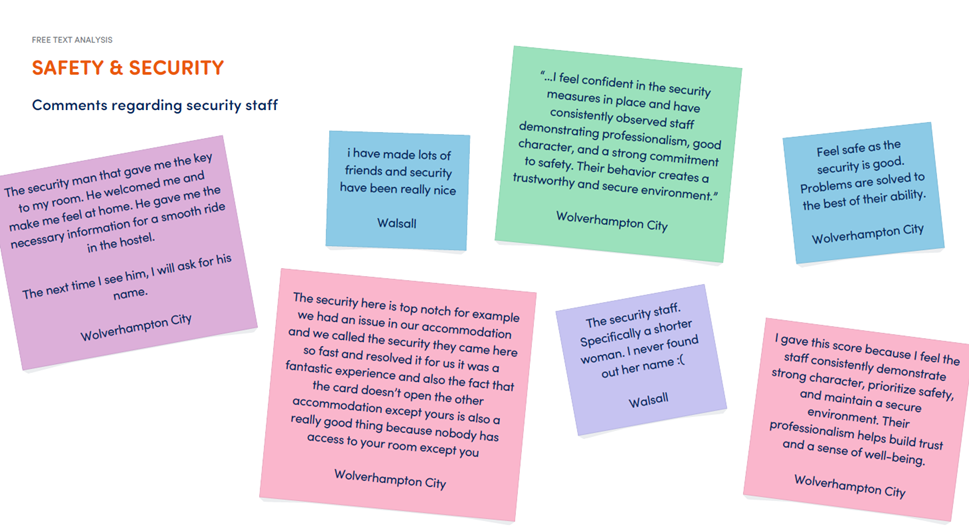
Your campus has a 24/7 security team looking out for you, so you’re never on your own if you have an issue. They’re there to help with anything, and honestly their presence just makes the whole place feel way safer.
All security staff wear body cams — they’re only used if there’s an incident, and it’s all about keeping students and staff safe and protected.
If you need them, call 01902 32 2106 or check out their webpages for more info.
Use this number for emergencies, accidents, loud noise issues, or head to one of the Security Help Points around campus.
Lost your keys? Missing something? Got a non-urgent issue? Please direct these to the security team.
Friend of a friend?
If you don’t know someone, don’t let them in.
You wouldn’t invite randoms into your family home, so don’t do it here. If they really know someone, they can call them.
If someone’s hanging around and it feels off, trust your gut and report it. It’s probably nothing, but better safe than stressing about it later.
Security are on duty 24/7 and regularly patrol the campus. If you see anything that doesn’t feel right, report it — that’s literally what they’re there for. They’re friendly, easy to approach, and you’ll recognise them by their uniform and ID.
Stay smart, stay safe!
Noisy neighbours
Living in a block with lots of first-years means it won’t always be quiet. It helps to know when to put headphones on or head somewhere else for a bit.
From 11pm, things should start to quiet down so everyone has a chance to sleep. If you’re still up chatting, just keep the volume down — especially if someone’s got a louder voice. If it’s turning into a late night, it’s best to move elsewhere.
What’s normal noise?
With shared living, you’ll hear everyday sounds — people walking around, doors closing, conversations, maybe even early morning birds.
But if noise is regularly stopping you from sleeping (loud music, shouting, parties going late), contact security at the time and they’ll deal with it.
If it keeps happening, you can also contact your Campus Hub or log a concern through your StarRez portal so the Accommodation team can look into this.
Planning a party?
If you’re having people over and it might get loud, make sure you get permission first. This avoids complaints and keeps things fair for everyone. You can do this on the Estates and Facilities Planon 48 hours in advance of your party.
Important to know
Make sure everything is cleaned up afterwards. If not, you could be held responsible for any mess or damage.
If you’ve followed the rules and there are no complaints, you can continue until 1am.
Also, don’t advertise your party publicly — keep invites private to avoid uninvited guests or unwanted issues.
Be considerate, look out for each other, and enjoy your time here.

If you’ve got friends visiting, they can stay in your halls for up to 2 nights in a row.
Just make sure you sign them in at reception — it’s important for safety and fire regulations.
You’re responsible for your guest while they’re here, including how they behave. If there are any issues, the university can ask them to leave.
Communal cleaning
If you’re living in halls, cleaning the kitchen isn’t just someone else’s job — it’s everyone’s. Cleaning staff help out, but it’s down to you and your flatmates to keep the kitchen, corridors, and shared bathrooms clean and hygienic.
Kitchen inspections
Kitchens and communal areas get checked weekly.
If your kitchen isn’t up to standard, you’ll get 24 hours to sort it out.
If you think it’s unfair, you can appeal — but it has to be in writing to the Accommodation Team before 4pm on the same day.
If things still aren’t clean after that 24 hours, everyone in the corridor can face disciplinary action.
Struggling to get your flatmates to pull their weight? Or worried you might fail an inspection? Get in touch with the Accommodation Hub as they can help.
Cleaning staff
Cleaning teams are on site (usually 8am –1pm, depending on campus). They check shared spaces and help keep things hygienic, but they’re not there to clean up after everything — that part’s on you.
What actually needs cleaning?
Quick Tip
Want to avoid mould and damp? Get in the know with our Damp and Mould information
Keep it fair, do your bit, and you’ll avoid the group chat arguments and the warnings

Heating in your room
Heating runs from October through to spring and comes on at set times during the day:
Monday–Friday
- 6:00am – 9:30am
- 12:30pm – 1:30pm
- 3:30pm – 11:00pm
Saturday–Sunday
- 6:00am – 11:00am
- 12:30pm – 1:30pm
- 3:30pm – 11:00pm
How it works
- Your room is set to stay between 19°C and 22°C during heating times — once it hits that range, the system will switch on/off automatically to keep it steady.
- The heating is smart, so it might come on up to 2 hours earlier if needed (basically, if it’s freezing outside, it adapts).
- If temperatures drop seriously low (below -3°C for a while), the uni may adjust heating times to keep things comfortable.
If you think there is a problem with the radiator in your room, please log it on our Online Maintenance System, this will go straight to out maintenance teams who will deal with this for you. If it is not reported via the link it will not be dealt with.
Post & Deliveries
Your letters will be delivered straight to your accommodation post boxes:
- City Campus: at the entrance of each accommodation block
- Walsall Campus: WA Building
Got a parcel or signed delivery? You’ll need to bring your University ID to collect it — no ID, no parcel.
Parcel collection times
- City Campus (MX Building, North Road): Monday–Friday, 9am–5pm
- Walsall Campus (WA Building): Monday–Friday, 9am–5pm
Times can change, so keep an eye out for updates.

Circuit Laundry App
1. Make sure you have downloaded the FREE Circuit Go Laundry App from the App Store!
2. Follow the registration instructions
3. Follow the top-up instructions
4. Now you are ready to do your laundry
Check out our handy guides to doing your laundry...
Student Welcome Guide - Circuit Laundry
| Washing Guide | Drying Guide |
|---|---|
|
1. Scan Card/Phone 2. Open door to washing machine 3. Put in detergent/powder/tablet into bottom of drum 4. Load washing into washing machine 5. Close door to washing machine 6. Scan Card/ Phone 7. Select Cycle (Standard Wash, Super Wash, Super Wash Plus) 8. Press Start 9. Unload when finished |
1. Scan Card/Phone 2. Open door to dryer 3. Clean out lint filter 4. Load wet washing into dryer 5. Close door to dryer 6. Scan Card/Phone 7. Select Cycle (Complete Dry) 8. Press Start 9. Unload when finished |
How much will it cost?
Each wash will cost you £2.50 and for a dry it will cost you £3.00. If you choose the super wash/dry this will cost a little more.
For more information please visit the Circuit Laundry Website
- Parking is limited across all accommodation sites, so if you want a space, you'll need to contact your Accommodation Hub to get access sorted.
- Only park in marked bays - anywhere else is a no-go.
- Parking on yellow lines, grass or curb? Not worth it. You could lose your parking access and face disciplinary action.
- Having parking access doesn't guarantee your spot. This just means you're allowed to use the car park if there's space.
- Roads around campus are monitored too, so parking on double yellow lines could lad you a ticket from the council or police.
- Your car is your responsibility. The university isn't liable for any loss or damage, so make sure your vehicle is insured, taxed and roadworthy.
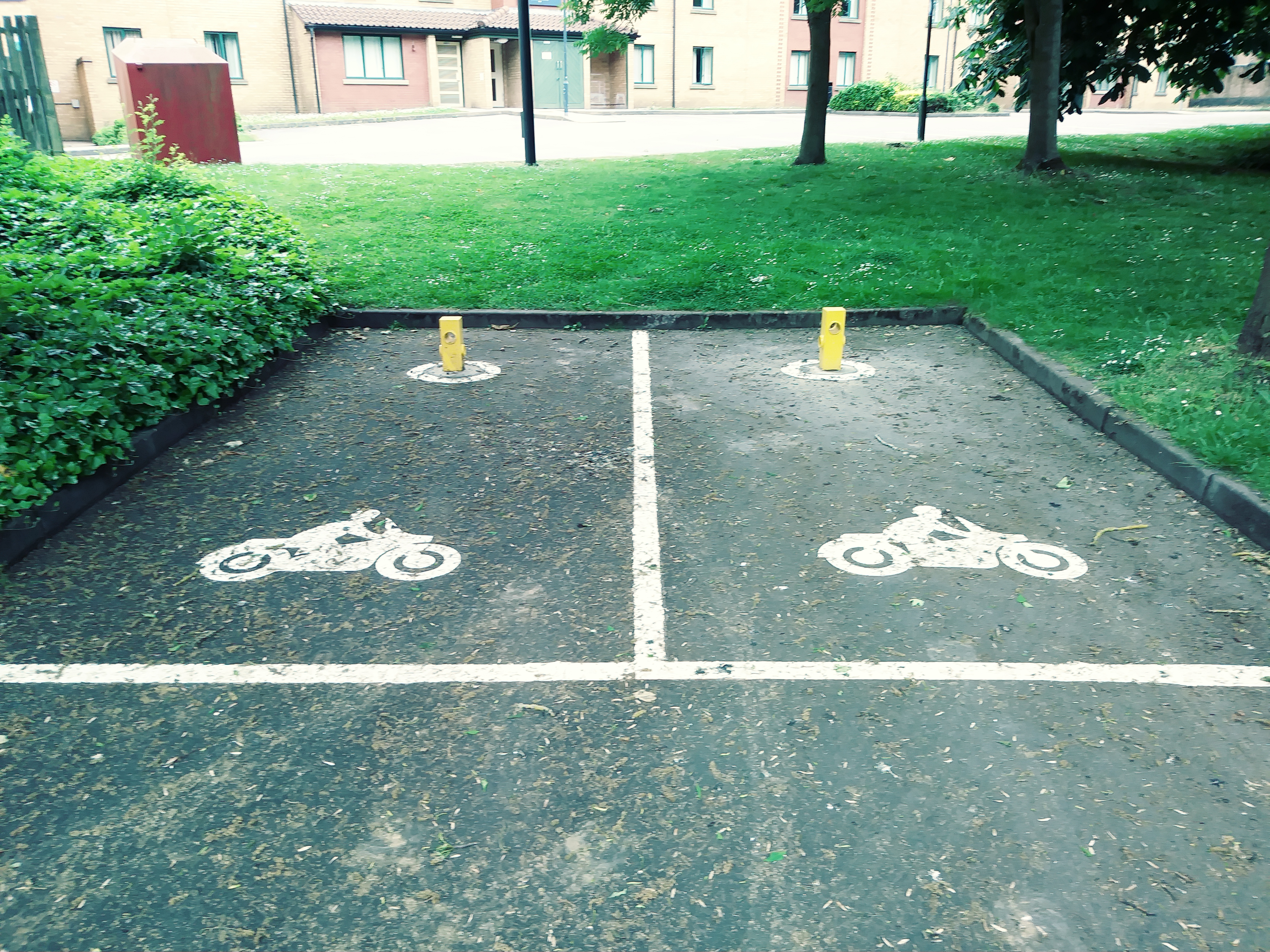
Got a bike instead? Smart move.
- Cycling’s a great way to get around (and avoid traffic), and there’s bike storage available on all campuses — just request access.
- Don’t keep your bike in your halls — you’ll be asked to move it.
- Heads up: your accommodation insurance doesn’t cover bikes, so you’ll need separate cover to keep it protected.
Whether you’re binge watching your favourite comfort show, watching live sport or keeping up with the latest episode everyone’s talking about, it’s important to know when you need a TV Licence.
If you’re watching or recording live TV — on any device (yes, even your phone or laptop) — you’ll need to be covered by a licence. It doesn’t matter how you’re watching either, whether that’s through streaming, cable, satellite or aerial.
Watching anything on BBC iPlayer? That’s a licence too — live or catch-up.
Good news: if someone in your flat already has a TV Licence for their room, it also covers a TV in your shared kitchen/living space.
Quick heads-up: this isn’t optional. Watching live TV or using BBC iPlayer without a licence can lead to a fine of up to £1,000. Not the kind of surprise you want at uni.

For all the details, check out the TV Licensing website on TV Licence
Lost Keys
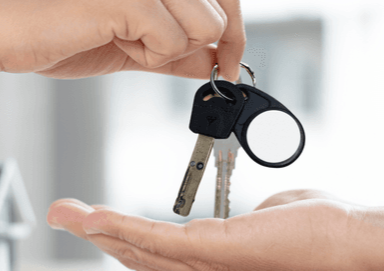
Lost your keys or think they’ve been stolen? Let Reception know ASAP.
If it happens outside office hours (5pm–9am or weekends), Security can let you back into your room — but you won’t get a replacement key until Reception is open again.
If your keys aren’t found and returned within 10 days, you’ll be charged for replacements. And if losing your keys becomes a habit, you might also get hit with an extra admin fee.
Fob (access card)
Lost your fob or key? Here’s what it’ll cost:
- £40 for a replacement fob
- £40 for a replacement key
You’ll need to pay this directly to the University. In some cases, you may also have to cover the cost of changing locks if your key is lost.
Small win: if you find your lost key within 10 days and the locks haven’t been changed yet, you won’t be charged.
Bringing electrical items?
If you bring your own electrical stuff into halls, it’s recommended you get it PAT tested for safety. You can arrange this through the Accommodation Hub — there may be a small charge.
If something is considered unsafe, a fire risk, or not suitable for shared living, it can be confiscated without notice. This also counts as a breach of your Licence Agreement. Using banned items can lead to disciplinary action.
Things to think twice about
Items that can cause noise or disruption (like large speakers, sound systems, TVs, or musical instruments) may also be restricted. This isn’t a full list — management can add to it if needed.
Not allowed in your room
For safety reasons, don’t bring:
- Cooking appliances (e.g. toasters, rice cookers)
- Kettles
- Candles
- Joss sticks / oil burners
- Smoking equipment (bongs, shisha, ashtrays, etc.)
- 3D printers
- Electric or halogen heaters/fans
- Mini fridges/freezers
- Ceremonial knives
- E-cigarettes
- E-scooters
- LED lights
Not allowed in kitchens/communal areas
- Deep-fat fryers
- Chip pans
- Rice cookers (unless they have a 3-pin plug that meets UK standards)

If there’s any damage, loss, or extra cleaning needed that you (or your corridor) are responsible for, you’ll be charged.
If you think someone else caused damage or took University property, report it ASAP. Communal areas are checked regularly, and if damage is found, everyone will be contacted.
You’ll be asked to provide any info that could help identify who’s responsible.
If no one is identified, the cost will be split between everyone on the corridor — and you won’t be able to appeal after that.
Please note: due to the different standards of finish in the different accommodation, charges listed are indicative only and subject to current rates of VAT.
- You’ll always be notified before any charge is applied
- Prices are estimates and may change (e.g. VAT)
- Charges cover the repair/replacement only (call-out fees may be extra)
- Costs will be kept as low as possible
A full list of damage charges for this year can be found here: Damage Charge price list. To avoid getting a charge:
- Fill in your room inventory form properly as soon as you move in — this protects you from being blamed for existing damage
- If you’re leaving for more than a day, return your keys to reception so they’re kept safe
Appealing a charge
- If upon inspection of your bedroom or communal area there is damage found you will receive a letter from The Accommodation Hub stating that you will be receiving a charge to cover the cost of the repair/replacement.
- If you do not consider that you should be charged for any damage you will need to write to The Accommodation Hub, either by letter, or email only, stating why you believe you shouldn’t be charged along with any evidence you have.
- The Accommodation Hub will then respond to your appeal with a holding letter and a response to your appeal will be given within 21 days.
- If your appeal is unfounded and the charge remains, you have the right to a second appeal, of which would be responded to by an Accommodation Manager.
- You will need to write to the Accommodation Manager either by letter, or email only, stating that you are appealing the charge for a second time along with any evidence.
- A holding letter will be issued. The respective Manager will investigate your claims within 21 days and respond accordingly.
- If after receiving this response you are still dissatisfied with the outcome from your complaint, you have the option to have it considered at stage two of the formal complaints procedure. Further details of stage two (review) are contained within the principles and procedures document of our student complaints system which is available here .Please note that any request to have the complaint reviewed at stage two must be made in writing to the Head of the Conduct and Appeals Unit within 28 working days of the date of receiving a response
Bottom line
If damage happens, speak up early. If no one takes responsibility, everyone pays — so it’s always better to flag things straight away.
The Fire Safety equipment installed in the accommodation is there to help save your life in the event of a fire. Tampering with, or vandalism to these fire safety devices will result in disciplinary action, financial penalties and you will be reported to the Police. Details of the fire regulations are posted throughout the accommodation.
ALL students MUST be acquainted with these details and be able to identify the location of fire exits and the procedure for safe evacuation of University accommodation.
If a fire starts, please remember not to panic. If possible, close the door to the fire. It will delay the spread of the fire and smoke. Get yourself out as quickly as possible. DO NOT stop to pick up valuables or possessions. When the Fire Alarm sounds, the Fire Service will be alerted either automatically or through a member of staff. NEVER go back into the accommodation unless the Security team tell you it is safe to do so.
Fire Safety in Student Accommodation
We’d like to reassure all new and returning students to University of Wolverhampton student accommodation that your safety and security is our number one priority.
University buildings undergo regular fire risk assessments and have fully integrated fire warning systems, emergency lighting and fire compartmentation which are all supported by thorough fire risk assessment procedures which are tested at regular intervals.
We are also working with private providers of student accommodation to seek safety assurances.
We would like to emphasise that the safety and security of our students, staff and visitors is always our primary priority.
Please take a read of our Living in Halls - Fire Safety Information
If you have any accommodation questions please do not hesitate contact our The Accommodation Hub team via email cityaccommodationhub@wlv.ac.uk or by telephone on 01902 32 1268.
Smoking
Smoking (including vapes and e-cigarettes) is not allowed anywhere in accommodation.
If you’re caught:
- First Offence: First warning
- Second Offence: Final warning + you’ll sign an Anti-Social Behaviour Contract
- After that: Referred to Conduct & Appeals — you could be asked to leave your accommodation
When you move out, if your room smells of smoke, you’ll be charged £250 for deep cleaning.
Fire Doors
All doors are fire doors and they’re there to protect you. Do not wedge them open. It’s a disciplinary offence.
Fire alarms & safety systems
These are taken very seriously. Don’t mess with them.
Malicious fire alarm activations:
- First time: Final warning + Behaviour Contract signed.
- Second time: Referred to Conduct & Appeals (could lead to removal from halls or suspension)
Failure to Evacuate during an alarm:
- First time: First warning
- Second time: Final warning + Behaviour Contract
- Third time: Referred to Conduct & Appeals (could lead to removal from halls or suspension)
Covering or tampering with smoke detectors:
- First time: Final warning + Behaviour Contract
- Second time: Referred to Conduct & Appeals (could lead to removal from halls or suspension)
Breaking break-glass points:
- First time: First warning
- Second time: Final warning + Behaviour Contract
- After that: Referred to Conduct & Appeals
If no one owns up, everyone in the corridor may be charged and be issued with the relevant warning.
If you’re already on a warning for something else, you’ll automatically move to the next stage of the disciplinary process.
Tampering with fire equipment
Damaging or interfering with fire safety equipment is a serious offence.
- You’ll get a final warning + Behaviour Contract
- You’ll likely face a fine (see Living in Halls Guide)
- Serious or repeated cases → immediate referral to Conduct & Appeals
- You may have to leave halls while it’s investigated
In some cases, this can also lead to police involvement
Bottom line
Fire safety rules aren’t optional. They’re there to protect everyone — take them seriously or the consequences escalate quickly.
Fire alarm testing take place in the Halls of residence to ensure our students become familiar with the assembly points and how to respond in fire incident.
Below are the time the tests take place:
- City Campus Lomas Street - Sunday Afternoon between 12pm and 5pm
- City Campus North Road - Sunday Afternoon between 12pm and 5pm
- Walsall Campus Student Village - Saturday Afternoon between 12pm and 5pm
The alarm will last from approximately 15-30 seconds. In the event it goes on longer, be prepared to evacuate.
If you have lost your operating manual for the appliances within the kitchen, please find the correct manual from the list below.
Microwaves
Daewoo KOG-3000SL Microwave Manual (Word doc 485k)
Daewoo KOR 6L77 Microwave Manual (Word doc 586k)
Cookology CMAFS20LWH Microwave Manual (Word doc 487k)
Whirlpool MWH403 Microwave Manual (Eng 16-32) (Word doc 1,626k)
Daewoo KOR-8A9RB Microwave Manual (Word doc 487k)
Sharp YC-MS51U-S Microwave Manual (Word doc 3,033k)
Sharp R-272M R-372M Microwave Manual (Word doc 677k)
Sharp R-204 Microwave Manual (Word doc 4,347k)
Montpellier MMW21W Microwave Manual (Word doc 808k)
Daewoo SDA2030 Microwave Manual (Word doc 348k)
Kettles
Argos Cookworks Kettle Manual (Word doc 154k)
Andrew James Kettle Manual (Word doc 226k)
Asda George Kettle Manual (Word doc 1,215k)
Ikich Kettle Manual (Word doc 325k)
Ingenix IG7270 IG7280 Kettle Manual
Morrison 4025 Kettle Manual (Word doc 947k)
Sabichi Kettle Manual (Word doc 322k)
Tesco JKR Kettle Manual (Word doc 1,111k)
Fridges
Indesit SI81QWD Fridge Manual (Word doc 2,306k)
LEC - TU55144W Fridge Manual (Word doc 1,571k)
Indesit Fridge Freezer Manual (Word doc 1,838k)
Frigidaire Fridge Manual (Word doc 465k)
Beko TLS480 - TLG980 Fridge Manual (Word doc 338k)
Beko TLDA 628 Fridge Manual (Word doc 679k)
Beko LCSM3545 Fridge Manual (Word doc 351k)
Beko L54265 Fridge Freezer Manual (Word doc 1,457k)
Beko FCFM1545W Fridge Manual (Word doc 872k)
Beko - BCB5050F - BEK80STK Fridge Manual (Word doc 1,694k)
Freezers
Frigidaire Freezer Manual (Word doc 1,145k)
LEC U5010W Freezer Manual (Word doc 480k)
LEC TU55144W Freezer Manual (Word doc 513k)
Indesit UIAA Freezer Manual (Word doc 1,071k)
Indesit U18F1CW Freezer Manual (Word doc 2,969k)
Blomberg FNT9673 Manual (Word doc 259k)
Beko ZA630 Freezer Manual (Word doc 474k)
Beko FCFM1545W - FFG1545W - FFG1545S Freezer Manual (Word doc 2,055k)
Freezer Manual - LAMONA LAM6803
Cookers
Hotpoint HAES Cooker Manual (Word doc 648k)
Idesit Cooker Manual (Word doc 580k)
Belling Cooker Manual (Word doc 1,468k)
Beko EDVC503W Cooker Manual (Word doc 1,067k)
Beko BCDP50W Cooker Manual (Word doc 3,065k)
Managing Behaviour in Student Accommodation
Stage 1: Initial Incident
Security regularly patrols accommodation. If there are any behaviour or conduct issues, they will address them straight away by giving advice or a caution. All incidents are recorded to help monitor repeat behaviour.
If needed, Security may recommend that the Hub team looks into the issue further.
The Hub team will review the report and may decide to speak with the student or any witnesses, especially if similar incidents have happened before.
The interview outcome may result in one the following actions:
- Guidance and advice will be given to the student to address their behaviour / conduct
- The Hub team will provide support and sign posting to the appropriate department or support service.
- The Hub Team may impose a financial find in accordance with the terms and condition within the Licence agreement.
- The Hub Team may refer the student to the University Cause for Concern Panel if there is safeguarding concern or there is a concern that the student cannot reside, independently or safely within the accommodation whilst studying at the University.
- The Hub team will sign post the student with substance misuse concerns to the Student Mental Health and Wellbeing team for them to provide the appropriate advice or guidance and refer to external agencies to assist with specific needs.
Stage 2: Repeat Behaviour
If a similar issue happens again, the student may:
- Be asked to sign an Acceptable Behaviour Contract
- Receive a Final Warning
- Be required to move to a different room or campus
If the student does not agree to these actions, the case may move to Stage 3.
Stage 3: Serious or Continued Issues
Serious incidents, breaches of a Final Warning, health and safety concerns, or criminal behaviour will be reviewed by senior staff.
The case may be escalated to senior university management.
Possible outcomes:
- Disciplinary action under the Student Code of Conduct
- Actions recommended by the Cause for Concern Panel
- Starting legal action, which may include ending the accommodation agreement
After each of these stages the Accommodation Hub team would notify the Conduct and Appeals Unit of each incident.
Right to Appeal: The student may appeal against any of the 3 stages, this needs to be submitted in writing, via email with supporting evidence and within 7 days from the date of the warning.
Please note, if after your appeal you are still not satisfied you can submit a further appeal in writing, to the Dean of Students within 30 days of the date of the final letter to: Dean of Students, c/o The University of Wolverhampton, Student Services Gateway, MB Building, Wulfruna Street, Wolverhampton,WV1 1LY.
The University wants students to enjoy their time here and enhance their student experience. Ensuring that our students reside within a safe and enriching environment. There are procedures in situ that will assist students to raise queries or report areas of concern to your local Facilities & Support Hub.
I don't want to live in Halls any more
If you wish to be released from your licence, you'll need to make an appointment with a member of your local Accomodation Hub and they will undertake an interview to advise on the options available.
How do I inform someone if I have a problem or need an answer to a query?
This is really quick and easy, log onto your StarRez portal and log a concerns call on the main page. This will then be passed onto the relevant member of staff that will get back to you with an answer. The procedure to outline how your Accommodation Hub, Dealing with Student Queries will provide you with further information.